
Views: 0 Author: Site Editor Publish Time: 2025-12-01 Origin: Site


Changing a bit on a router might seem simple, but it’s crucial for precision. A poorly installed router bit can affect both the quality of your cuts and the safety of your project. Whether you use a portable router or a router table, learning the correct procedure will ensure your tools last longer.
In this guide, you’ll learn how to change a router bit safely and efficiently. We’ll cover the steps, troubleshoot common issues, and help you choose the right bit for your work.
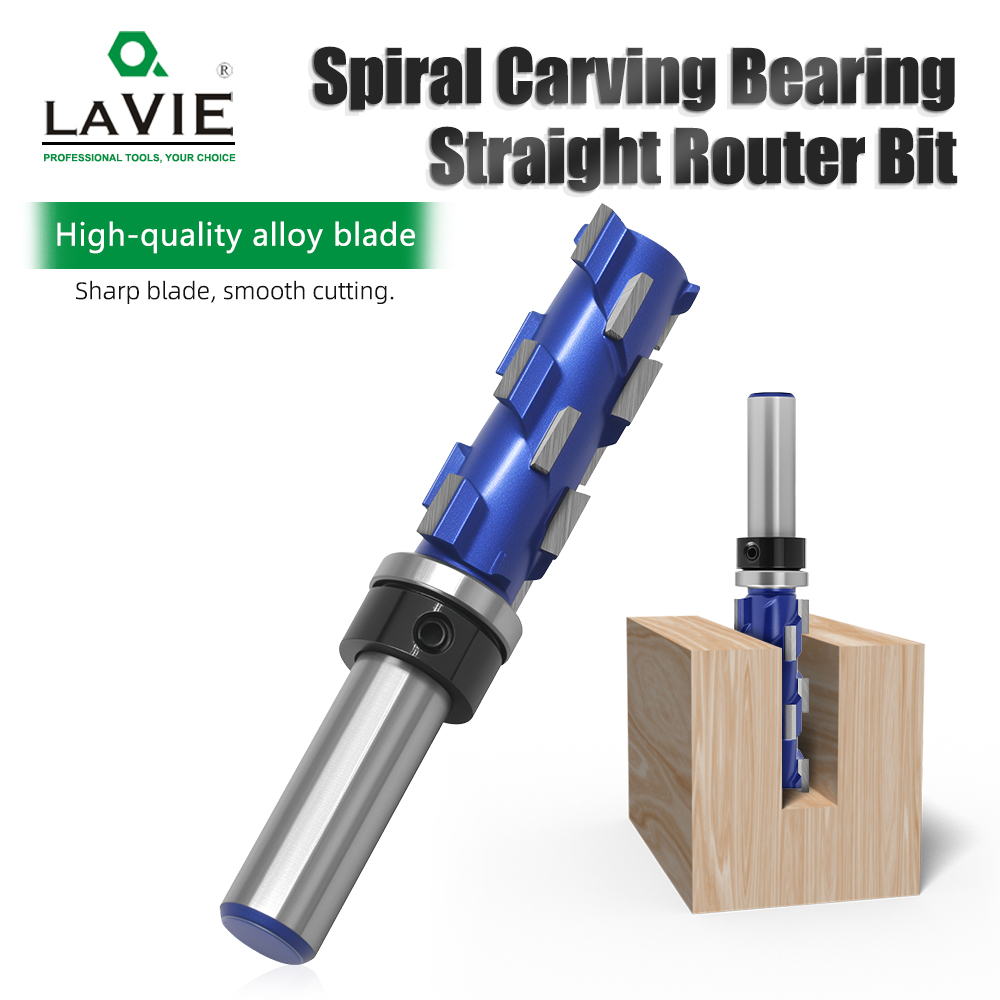
Router bits wear down over time, especially with heavy use. A dull or worn-out bit can cause jagged edges, rough cuts, or burns on the wood. Changing the bit at the right time ensures your cuts are clean and precise, which is essential for both aesthetics and the overall quality of your projects. Keeping an eye on the condition of your bits will save time and effort on rework.
Using the wrong bit or a dull one can cause damage to your material. For example, if a bit isn't sharp enough, it may lead to burning, which can ruin the finish of your project. It can also cause kickbacks, making the material harder to control and increasing the risk of accidents. Regular bit changes help prevent these issues and improve the safety of your work environment.
Frequent use of dull router bits can strain the router motor, leading to premature wear and potential breakdowns. By changing the bit regularly and using the right bit for the job, you reduce strain on the router, helping it last longer and perform at its best.
Most routers require either one or two wrenches to remove or insert a router bit. Some models come with a spindle lock, which makes the process easier. Ensure you use the correct wrench for your router model to avoid damaging the tool or bit. The collet lock is essential to keep the bit securely in place during the change.
Though not strictly necessary, gloves and safety glasses can protect you from debris and accidental cuts when handling sharp router bits. While working with routers, wearing ear protection is also a good idea due to the noise.
Each router has a unique design, so understanding the components of your tool is vital. The collet system, spindle lock, and other features vary across models. Before changing a router bit, take some time to familiarize yourself with the specific features of your router. Refer to the user manual to ensure you're following the correct procedures for changing bits.
Before changing the router bit, make sure the router is completely unplugged. Never attempt to change a bit while the router is still connected to power. This is one of the most important safety steps to prevent accidents.
For most routers, you’ll need to remove the base to access the collet, which holds the router bit. Begin by loosening any fasteners that secure the base. Once removed, you'll be able to reach the collet nut, which secures the bit.
Use the appropriate wrench to loosen the collet nut that holds the bit in place. Some routers have a spindle lock to prevent the bit from spinning while loosening the nut. If your router doesn’t have a lock, you may need a second wrench to hold the spindle in place while loosening the collet nut.
Once the collet nut is loose, carefully pull out the old router bit. If the bit is stuck, you can use a rag to grip it, or lightly tap the bit with a block of wood to release it from the collet. Be careful not to damage the bit or the collet.
Insert the new router bit into the collet, ensuring it’s seated properly. Do not bottom out the bit in the collet, as this can cause the bit to become stuck or not tighten correctly. Instead, push the bit in and back it out by about 1/8 inch. This small adjustment ensures a secure fit without over-tightening the collet.
Hand-tighten the collet nut to hold the bit in place, then use the wrench to securely tighten it. Reassemble the router base and ensure everything is reattached properly.
Step | Action |
1 | Unplug the Router for safety. |
2 | Remove the Router Base to access the collet. |
3 | Loosen the Collet Nut with a wrench. |
4 | Remove the Old Router Bit carefully. |
5 | Insert the New Router Bit securely. |
6 | Tighten the Collet Nut and reassemble the router. |
If the router bit isn’t seating correctly in the collet, check for any debris inside the collet. Clean the collet with compressed air before inserting the new bit. Also, ensure that the bit is the correct size for the collet. Using a bit that’s too large or too small can cause issues with seating.
Sometimes, the collet can be difficult to loosen or tighten. Ensure you’re using the right wrench and apply even pressure to avoid damaging the tool. If you’re working on a router table, offset wrenches can provide better leverage for tight spaces.
When removing or inserting router bits, always handle them carefully. Router bits are sharp, and improper handling can lead to cuts or chipped edges. Use a clean rag or gloves to protect your hands when handling router bits.

Router bits come in various shapes, including straight, spiral, and edge-forming bits. Each type is suited to a specific purpose, such as edge trimming, grooving, or carving. Understanding the difference will help you choose the right bit for the task at hand. Spiral bits, for example, are ideal for faster and smoother cuts in wood.
The size of the router bit is another important consideration. Router bits come in different diameters and lengths. Choose the correct size based on the depth of the cut you want to make and the size of your material. Bits that are too large or too small for the job can lead to inefficiencies or poor results.
Carbide router bits are more durable and better for hard materials like hardwoods, while high-speed steel bits are ideal for softer materials. Choosing the right material for your router bit can greatly impact performance and durability. Carbide-tipped router bits are also preferable for heavy-duty tasks as they last longer and stay sharper.
To extend the lifespan of your router bits, it’s essential to clean them regularly. Resin, dust, and other debris can accumulate on the bits, reducing their effectiveness. Sharpening the bits when needed ensures smooth, precise cuts. Make sure to clean your router bits with compressed air after every use.
Store your router bits in a dry, secure location to prevent rust. Proper storage also keeps the cutting edges from getting damaged. Using a dedicated case or drawer for router bits helps organize them and prevents accidental damage from contact with other tools.
Rust can form on router bits if they’re not stored properly. To prevent rust, wipe the bits with an oily cloth before storage or use rust inhibitors. Regularly inspect your bits for rust or wear and replace them when necessary.
Changing a router bit is essential for ensuring precision, safety, and tool longevity. Properly following the steps and maintaining your router bits will guarantee professional-quality results. Whether upgrading to a new bit or replacing a worn one, the correct technique is key. At YUEQING LAIWEI TOOLS CO., LTD., we offer high-quality router bits that help improve the efficiency and accuracy of your woodworking projects. Our products are designed to provide exceptional performance and durability.
A: Change your router bit when it becomes dull, chipped, or shows signs of wear. Using a damaged bit can lead to poor cuts and potential damage to your material.
A: No, ensure that the router bit is compatible with your router’s collet size (1/4" or 1/2") and designed for the tasks you're performing.
A: Insert the new router bit into the collet, ensure it's seated correctly, then slightly pull it back to secure it. Tighten the collet nut securely.
A: Replacing router bits helps maintain cutting precision and safety. Dull bits can cause burns, kickbacks, and uneven cuts, affecting the quality of your work.
A: Carbide-tipped router bits are ideal for hardwoods, while high-speed steel bits are better for softer materials. Choose based on the material for optimal performance.
A: Store router bits in a dry, secure location, and clean them after use. Apply a thin layer of oil to protect against rust and corrosion.


